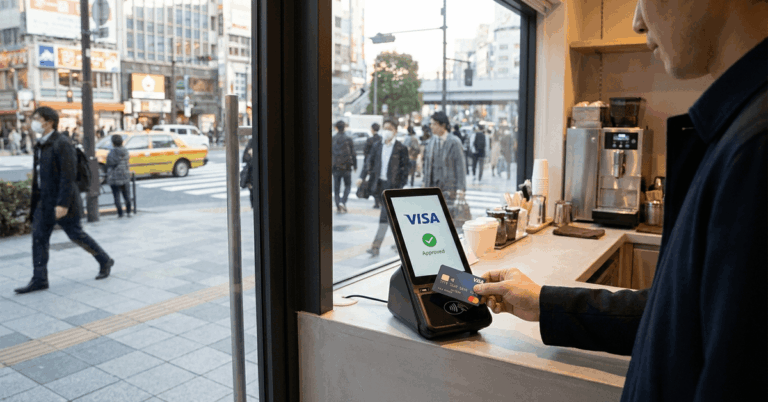
Japan’s cashless payments continue expanding in shops and online marketplaces. The PayPay Card connects ordinary credit purchases with the popular PayPay mobile wallet.
Applicants should understand current reward conditions and credit screening first. This guide explains features, points, eligibility, applications, security, and savings.



What Is the PayPay Card? Core Features and Practical Uses
The PayPay Card is a Japanese credit card integrated with the PayPay app for everyday shopping, notifications, spending histories, and account management.
Eligible residents can use its physical card at participating Visa, Mastercard, or JCB merchants, including overseas locations where their card network is accepted.
PayPay Card Rewards and Points: Worth It for Everyday Spending?
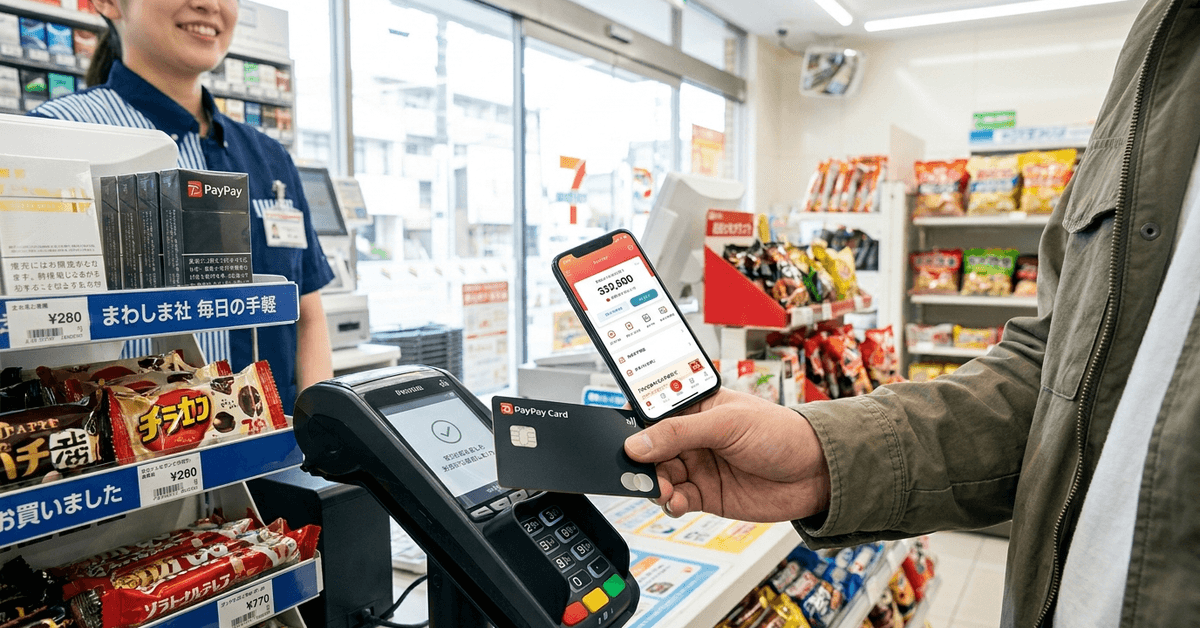
Eligible purchases may earn PayPay Points at a standard rate of up to 1%, calculated in increments of ¥200.
Since June 2026, earning points requires identity verification and PayPay Credit setup, while utilities and some transactions receive reduced rewards or none.
PayPay Card vs Other Rewards Cards
Comparing reward rates helps evaluate how this card fits your normal spending. Campaign bonuses have changing conditions, so advertised maximum returns are not automatic.
- Base rewards: Up to 1% on eligible spending, subject to current conditions.
- Bonus campaigns: Additional points may apply after meeting stated requirements.
- Redemption: Use eligible PayPay Points at participating merchants and services.
- Other cards: Alternative rewards programs may offer different rates or travel benefits.
PayPay integration can make points management convenient for frequent app users. However, shoppers who prioritize airline miles, international cashback, or different partner networks should compare alternative cards first.
Where PayPay Points Can Be Used
Points support eligible payments through PayPay, although stores set payment methods. Availability varies by location, category, and reward type.
- Convenience stores and supermarkets accepting applicable PayPay payments.
- Electronics retailers and other participating physical merchants.
- Online marketplaces that support eligible PayPay payment options.
- Selected services where point usage is specifically permitted.
Not every bill payment supports point redemption, and paying utility bills with the card may earn fewer points than ordinary shopping. Check restrictions inside the app before expecting savings.
Who Can Apply for the PayPay Card? Eligibility and Documents
Applicants generally must be Japan residents aged at least 18, with stable continuing income themselves or through a spouse. A registered mobile phone supporting identity checks is required, and applications require credit screening.
Common Application Requirements
Preparing accurate details makes online verification easier. Foreign residents may need identification matching their registered Japanese address and verification instructions.
- Residence documentation: Valid residence card when requested for identity checks.
- Japanese address: Accurate residential information matching records.
- Contact details: A mobile number supporting authentication and a usable email address.
- Payment account: Bank details for monthly repayments.
A complete application does not guarantee approval, since the issuer conducts credit screening and evaluates financial circumstances. Check document instructions before uploading identification.
How to Apply Online for a PayPay Card: Step-by-Step Overview
The current application process uses the PayPay app, even from its official website. Applicants enter accurate information, register a payment account if possible, and wait for the issuer’s decision.
1. Prepare Your Identification
Keep your identity documents and address accessible before applying. Verify that your name and address match the bank records. Clear documentation helps prevent verification delays when requested.
2. Access the Official PayPay Card Site
Visit the official PayPay Card website to apply. The official process directs new applicants to finish their registration in the PayPay app. Avoid unofficial links asking for passwords, identity files, or banking credentials.
3. Fill the Application Form
Enter personal information, employment details, and your Japanese address accurately. Review contact details and repayment account instructions before submitting. Inaccurate information can slow screening or require confirmation.
4. Submit and Wait for Verification
Credit screening can finish within minutes, but processing is not guaranteed to be immediate. Applications submitted overnight may be reviewed later. Additional checks or account verification can extend the decision timeline.
5. Receive Approval and Physical Card
Approved applicants who register their payment account during application may access card details for digital purchases.
Physical cards generally arrive in about one week, depending on postal delivery and verification. Customers choosing later bank registration may have to wait for delivery.

Advantages and Drawbacks of the PayPay Card: What to Realistically Expect
The card combines app convenience with rewards, but benefits depend on usage. Compare conditions, overseas charges, and repayment costs before applying.
Key Advantages
Several practical features may appeal to residents making regular purchases in Japan. The standard card has no annual fee, but points have conditions.
- Digital access: View card information after eligible approval and setup.
- Points earning: Receive rewards on qualifying purchases after meeting requirements.
- App integration: Track spending and eligible point balances.
- No annual fee: Standard PayPay Card membership has no yearly charge.
- International networks: Use the physical card wherever its network is accepted.
Potential Downsides
Rewards can be outweighed by interest charges on unpaid balances. Overseas transactions have fees, and Japanese instructions can be challenging.
- Credit screening: Approval and credit limits are not guaranteed.
- Reward exclusions: Utilities and some payment categories earn reduced or no points.
- Foreign transaction fees: Overseas purchases may carry additional costs.
- Language barriers: Some support and application instructions are primarily Japanese.
Security, Privacy, and Google Safe Browsing Considerations
PayPay Card provides security controls including alerts and usage limits. Applicants should also confirm website addresses because browsing tools cannot guarantee safety.
Some Security Features
Useful fraud protections help cardholders spot unusual activity and respond quickly when something looks suspicious. Security settings work best with active monitoring and careful protection of account credentials.
- Card restrictions: Limit selected transactions through supported account controls.
- Purchase notifications: Receive alerts for recent card activity.
- Authentication: Use verification procedures for sensitive card information.
- Lost cards: Report theft or loss promptly through official support.
Tips for Maximizing PayPay Card Rewards and Everyday Savings
Practical spending habits matter more than collecting points unnecessarily. Check current promotions and the reward eligibility rules first.
- Complete verification: Configure PayPay Credit and identity checks for eligible rewards.
- Review campaigns: Confirm the dates and requirements of limited-time promotions.
- Check bill categories: Utility transactions may have lower earning rates.
- Compare alternatives: Select cards on value, not bonuses.
- Pay on time: Avoid interest and unnecessary charges by managing statements carefully.
Conclusion
The PayPay Card offers app-based convenience and points on eligible purchases in Japan. Applicants must satisfy residency, income, and credit screening requirements.
Rewards, overseas fees, and payment restrictions deserve careful review. Compare options and borrow responsibly rather than chasing promotions.